
FxmeNet
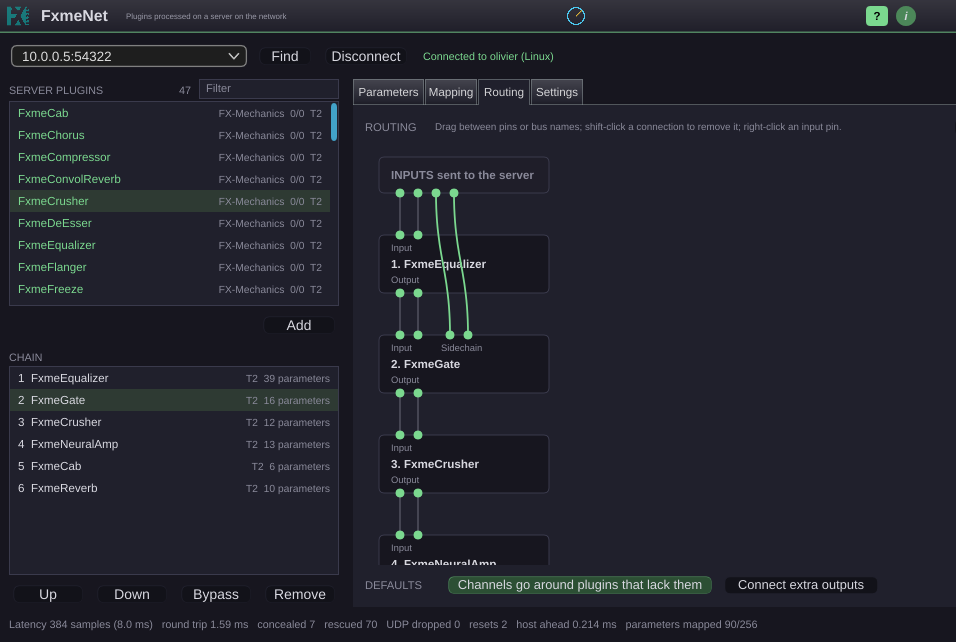
FxmeNet lets your DAW run its effects on another computer. In the DAW you insert one plugin,
FxmeNet (VST3, AU on macOS). Behind it, a chain of VST3 effects and JSFX scripts runs on a
server (fxmenet-server) on the same local network. The audio goes to
the server and comes back; the DAW sees one ordinary plugin and compensates the latency it reports.
Why FxmeNet exists
Reaper once offered something similar directly in its distribution (ReaMote). It was removed, and I missed it.
The AudioGridder project exists and is a fine one, but it has a different philosophy. I needed something that does not have to send video streams of the plugin windows over the network: FxmeNet opens each plugin's own editor on the client instead, and only audio and control data travel.
Commercial companies such as Waves or UAD offer ways to run effects on dedicated DSP hardware. FxmeNet offers something similar for the open-source world, using simple computers over standard Ethernet.
What it does
- Native editors: If a plugin is installed on the client too, its own editor opens locally and stays in step with the server's copy. Plugins made for FxmeNet also show their real meters and analysers. Others get a generic panel of sliders.
- Chains and routing: Each plugin instance in the DAW is one session on the server, with its own chain of VST3 plugins and JSFX scripts, a routing patchbay and latency compensation.
- Latency against reliability: Audio travels in blocks of N samples (32 to 1024) over UDP, and each reply has D blocks (1 to 8) to come back. A late block is concealed with a short fade. The added latency is about N × D samples.
- Monitoring:
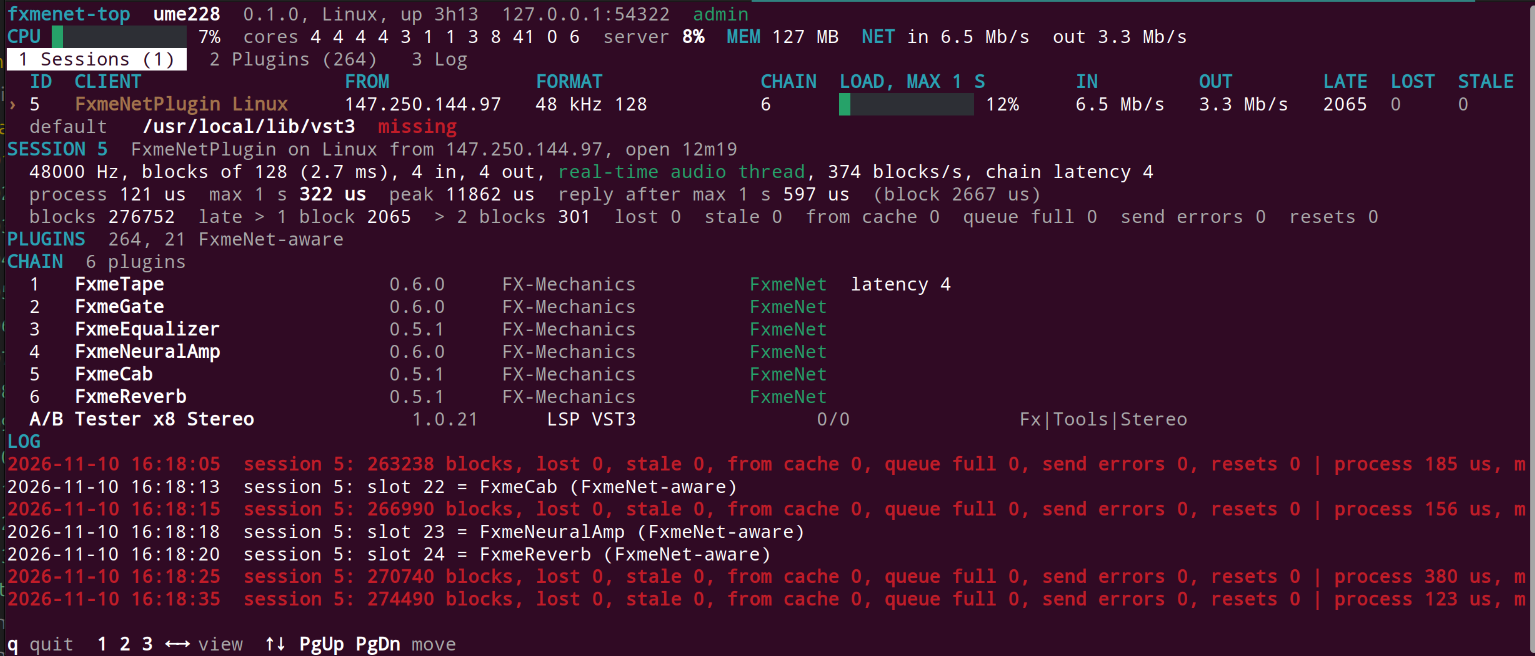
fxmenet-topis a terminal program that shows sessions, CPU, network and the server log, and manages the server's plugin folders (Linux, macOS and Windows).
• Even if the added latency stays small, this system is not for live playing. Expect a few milliseconds at best. It is however well suited for mixing and production.
• This is designed for a local network you control: traffic is not encrypted.
• The server hosts VST3 effects and JSFX scripts, not instruments.
Server monitoring
fxmenet-top runs in a terminal and monitors the server: active sessions, client addresses,
CPU load, round-trip packet timing, and server logs.
Plugins made for FxmeNet
Plugins made with FxmeNet in mind transmit their monitoring data (meters, oscilloscopes, spectrum displays) over the control channel so the local interface draws them accurately:
- FxmeFX: A series of 19 plugins (compressor, equalizer, tube, transient shaper, delays, reverbs, cabinet, limiter, gate, de-esser, neural amp modeller, chorus, flanger, phaser).
- Stairwell to Heaven: An algorithmic stereo reverb with figure-eight tank and shimmer features (GitHub).
- AmbiRR2: A virtual room simulator with up to 16 virtual sources in space.
Standard VST3 plugins that do not draw custom monitoring displays, or that use standard plugin parameters for metering, also work well. Others will work too, but without the metering features. The GUI will appear static, although still allowing to control parameters.
Downloads
Installers and archives are on the GitHub releases page:
| System | Installer | Without installer |
|---|---|---|
| Windows | FxmeNet-Setup.exe |
FxmeNet-Windows-x86_64.zip |
| macOS | FxmeNet-macOS.pkg |
FxmeNet-macOS-universal.zip |
| Linux | fxmenet_amd64.deb |
FxmeNet-Linux-x86_64.tar.gz |
User manual
The manual is available as a PDF or can be read online in HTML: